Dansker Capital Group Design System
A design system for a national mortgage brokerage: shared tokens, reusable components, and a CMS the team runs on their own.
The challenge
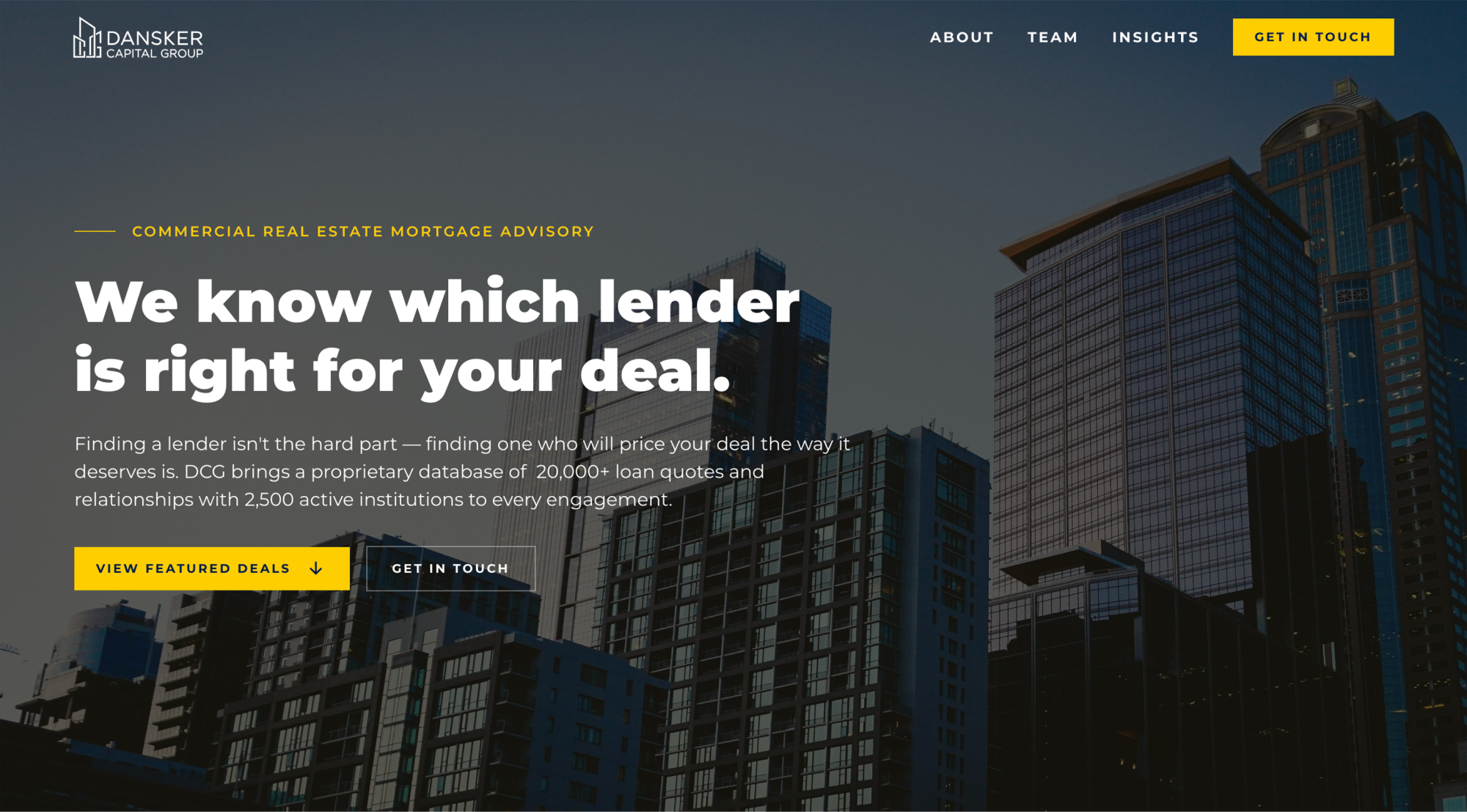
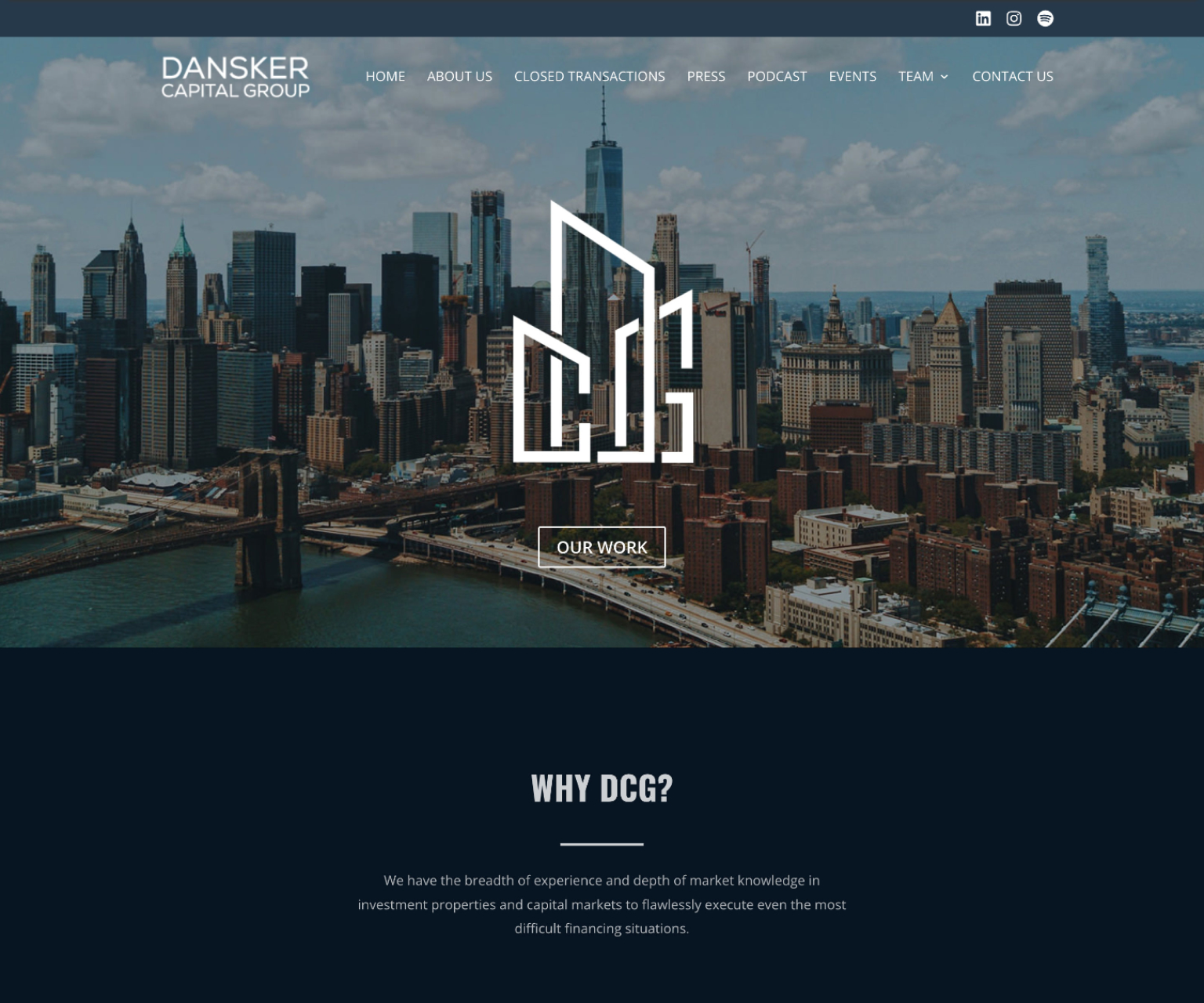
Dansker Capital Group has placed over $3 billion in commercial real estate loans since 2020, but its WordPress site no longer reflected a firm that size, especially next to larger competitors. The team is small and updates the site themselves, so the redesign also had to be easy for them to keep up on their own.
The old site also had too many menu items. The team wanted something more streamlined, so nine pages became five, and the main navigation is now three links (About, Team, Insights) plus a Get In Touch button.
The goal was a site that looks as credible as the firm’s track record and stays consistent as the team adds people, deals, and articles.
My role
I led the project from first call to launch: strategy, creative direction, design in Figma, the Webflow build, and CMS setup. I worked closely with the firm’s executive assistant and CEO throughout, and built on the brand work of Paula Cyhan, who designed their annual report. After launch, I taught the team to manage the Team CMS themselves.
Creative direction
The firm’s 2025 annual report had already set the tone: bold, confident, and unmistakably Dansker. The team loved that look, so rather than invent a new direction, my job was to translate a print piece into a web system that would hold up across five pages and years of content updates.
That meant turning the report’s choices into rules. Montserrat Black carries the headlines, Montserrat handles body text, and Cormorant Garamond italic adds a quieter accent. Midnight navy (#001c47) and a single yellow (#ffce00) keep the palette tight.


Foundations
Every design decision is stored as a variable, and Figma and Webflow use the same collections with the same names and values. The design file and the live site stay in step, and anyone who picks up the project finds the same names in both tools.
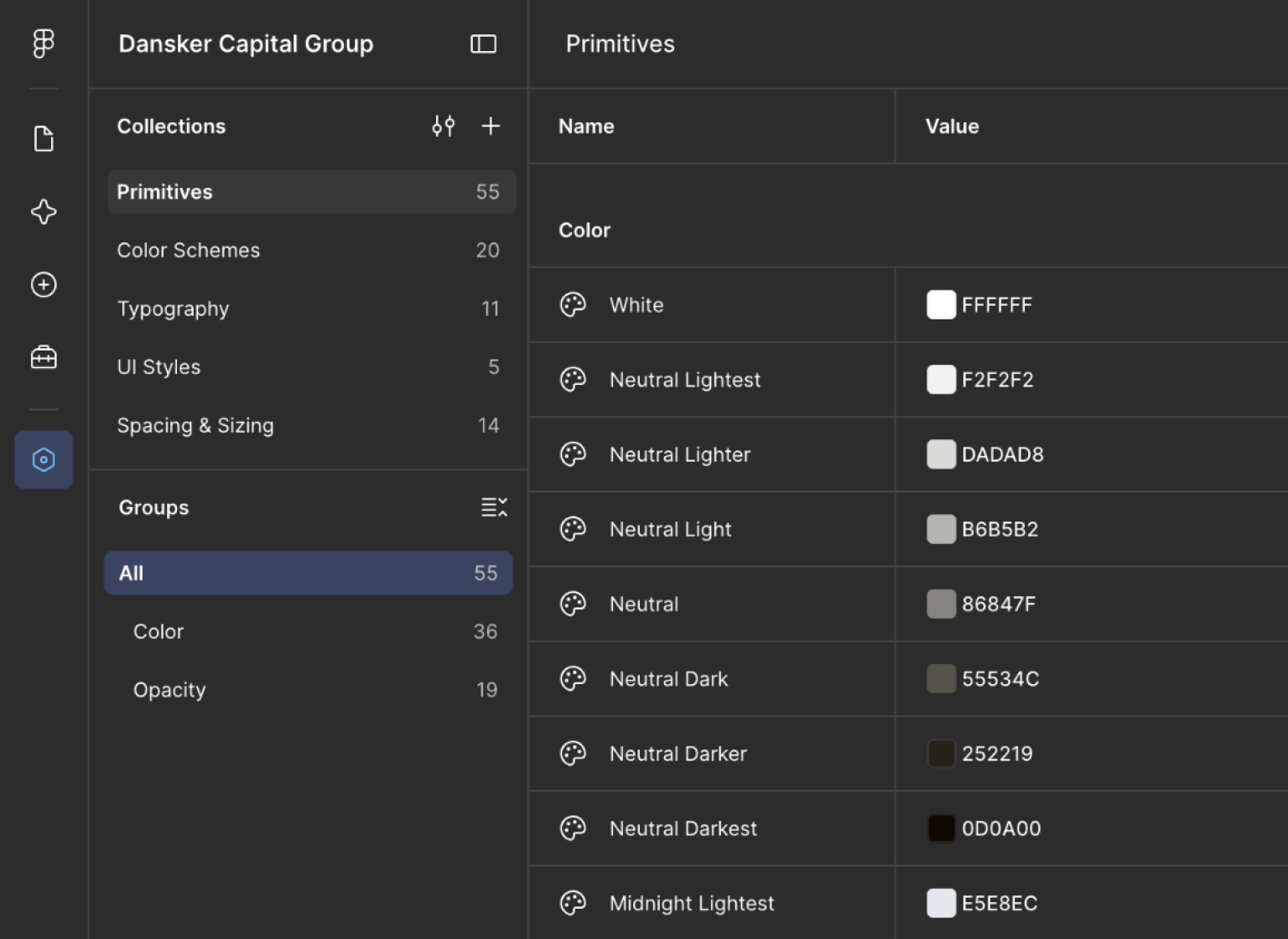
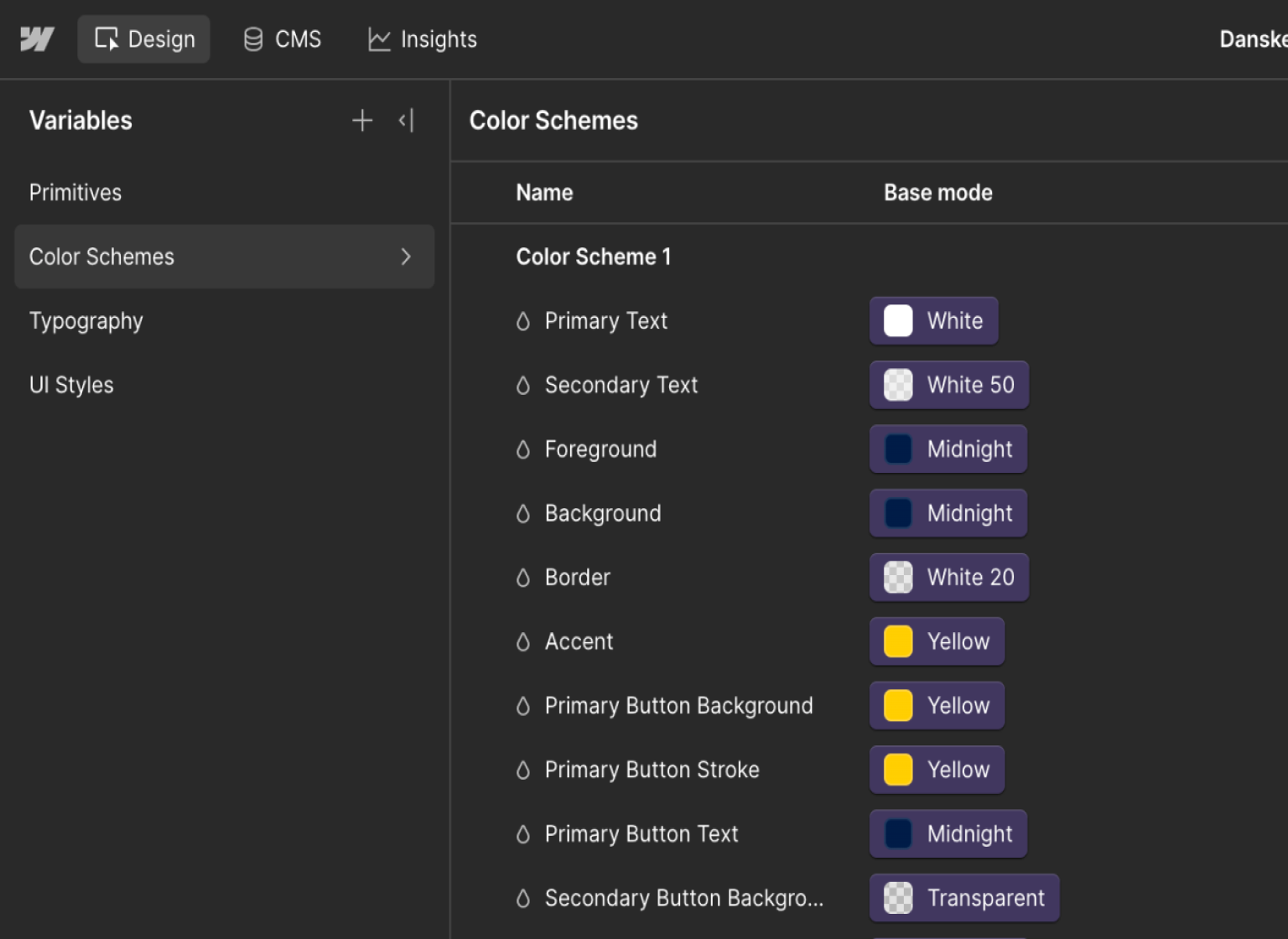
- Color: 55 primitive colors (Midnight, Yellow, and a warm neutral scale) feed 20 color schemes. To restyle a section, you choose a scheme. You don’t recolor elements one by one.
- Type: Montserrat Black for headlines, Montserrat for body text, Cormorant Garamond Medium Italic for accents. The fonts are free, so the client never depends on a paid license.
- Responsive type and spacing: 11 text sizes and 14 spacing and sizing variables, each with a desktop and a mobile value. H1 steps from 56 to 40, page padding from 64 to 20, and large section padding from 112 to 64. Content sits in a 1280 container.
- Shape: square corners everywhere (radius 0) and 1px strokes, so every component reads as part of one family.
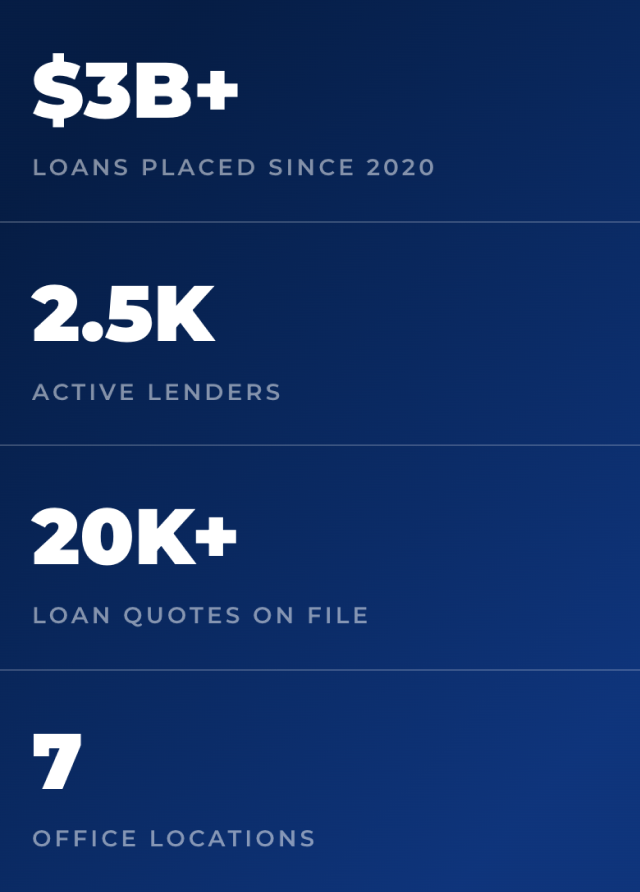
- Breakpoints: checked at 1440, 991, 767, and 390. The stats bar, for example, runs four across on desktop and stacks into one column on mobile, with the mobile type and spacing values taking over.

The build follows Client-First, a class and naming system that keeps a Webflow project readable, so another designer or developer can pick it up. I also built a style guide page inside the Webflow project (not public) that shows the colors, type, and buttons in one place, so anyone editing the site can check the system before adding to it.

Components
Each component is built once from the foundations above, then reused wherever it’s needed. These are the ones the site depends on:
- Deal card and carousel: a curated carousel of 12 deals, so the site shows range without implying a favorite lender. The card isn’t clickable, so it has no hover state.
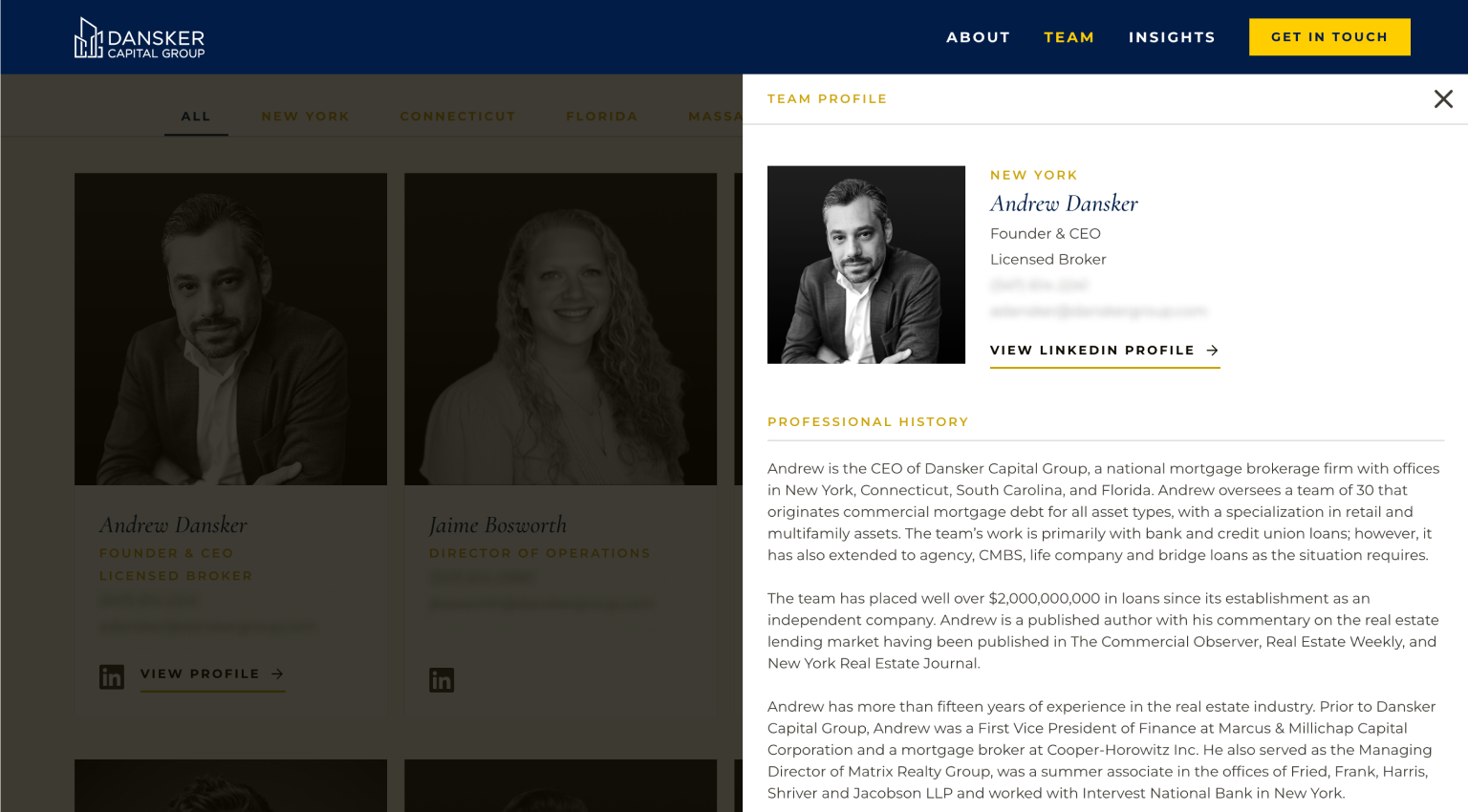
- Team card and bio drawer: one card per person, with a bio that slides out from the side. People without a headshot get a black placeholder card with their initials in Cormorant Garamond.
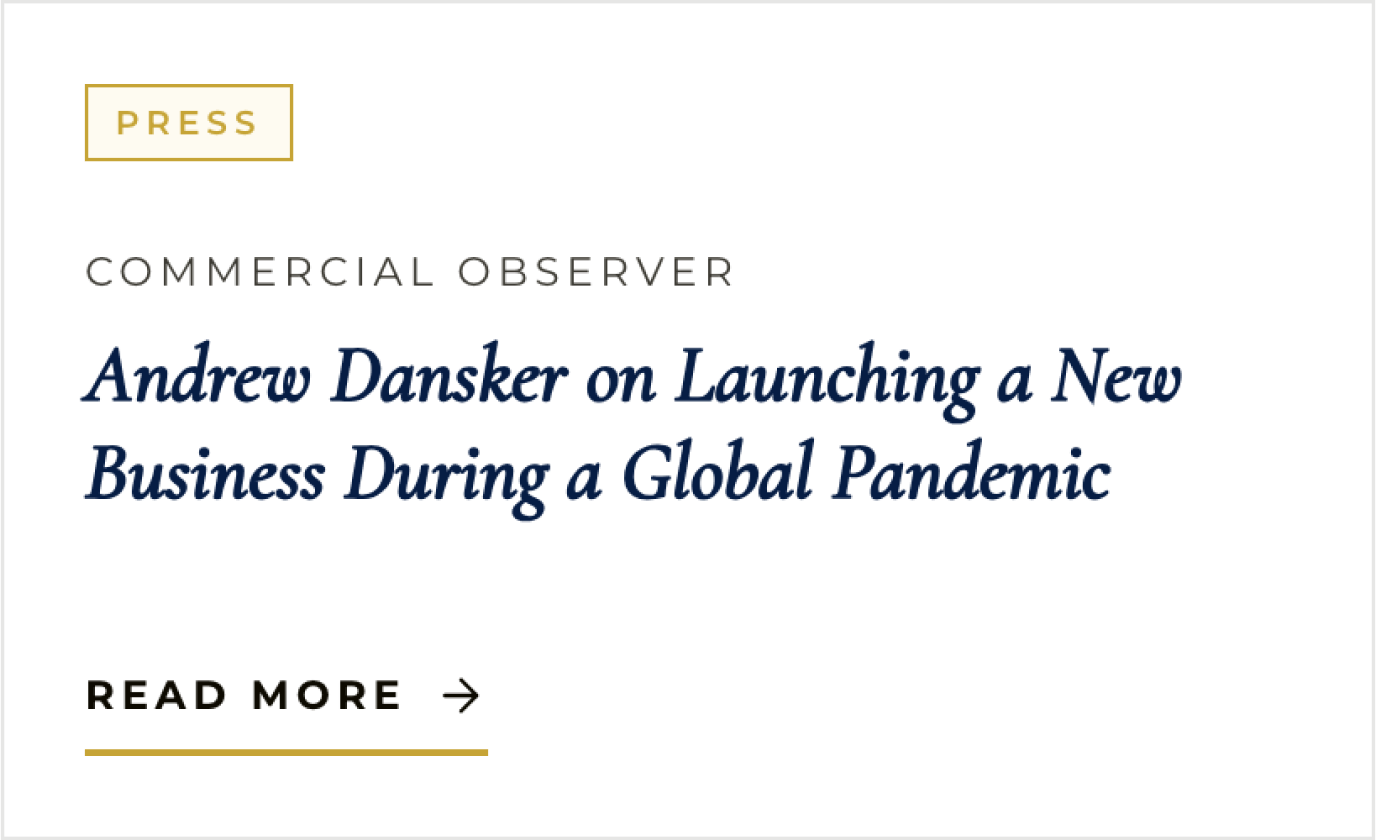
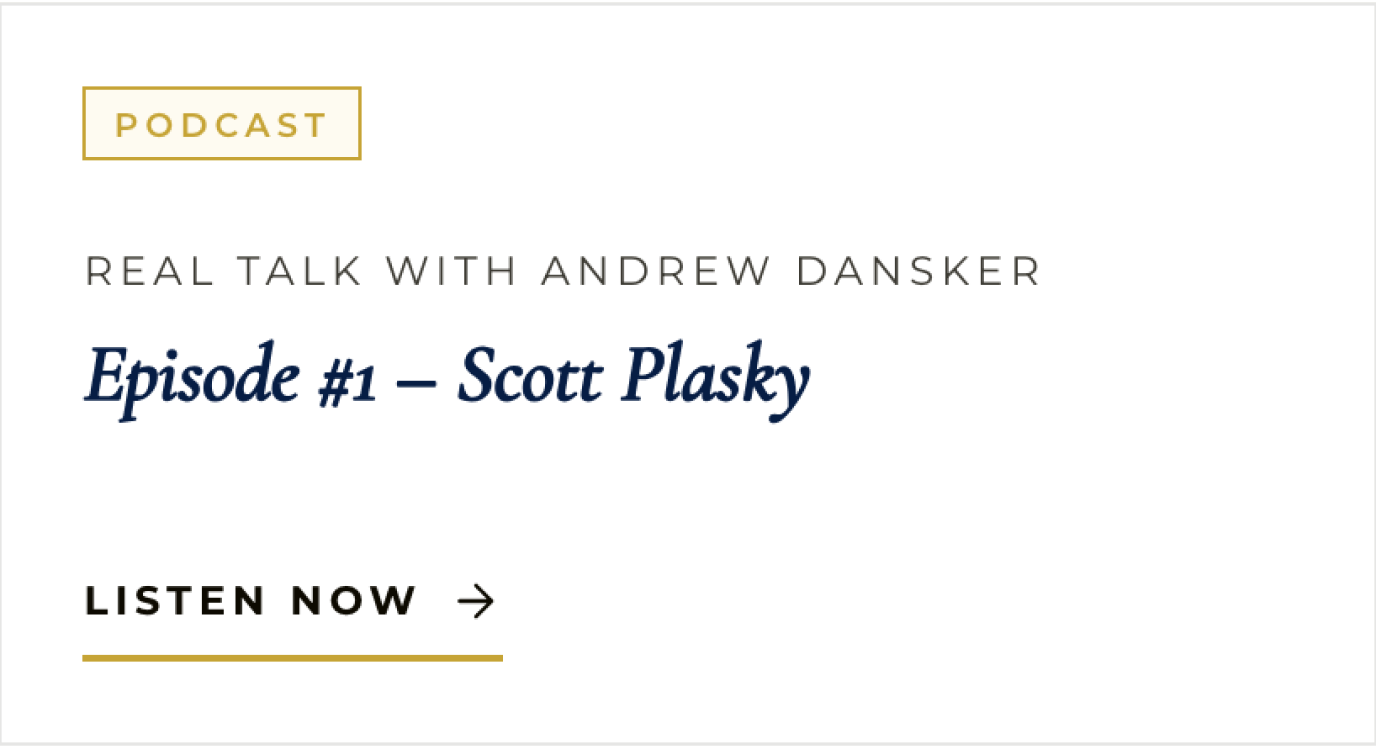
- Insight card: text-forward, with article and podcast versions.
- Stats bar: four numbers (over $3 billion placed since 2020, 2,500 active lenders, 20,000+ loan quotes on file, 7 offices), with desktop and mobile layouts.
- Office tabs and filter tabs: one tab pattern used twice, to filter the Team page by office and the Insights page by type. On mobile the strip scrolls sideways.
- Office section, CTA, nav, and footer: the office cards on About, one call to action, and the shared frame around every page.


From system to pages
Five pages, one kit. The navigation and footer frame every page, and the same stats bar, team cards, insight cards, and call to action appear again wherever they’re needed. Home pulls from nearly the whole kit, which makes it a good test of how well the pieces fit together.


CMS and editability
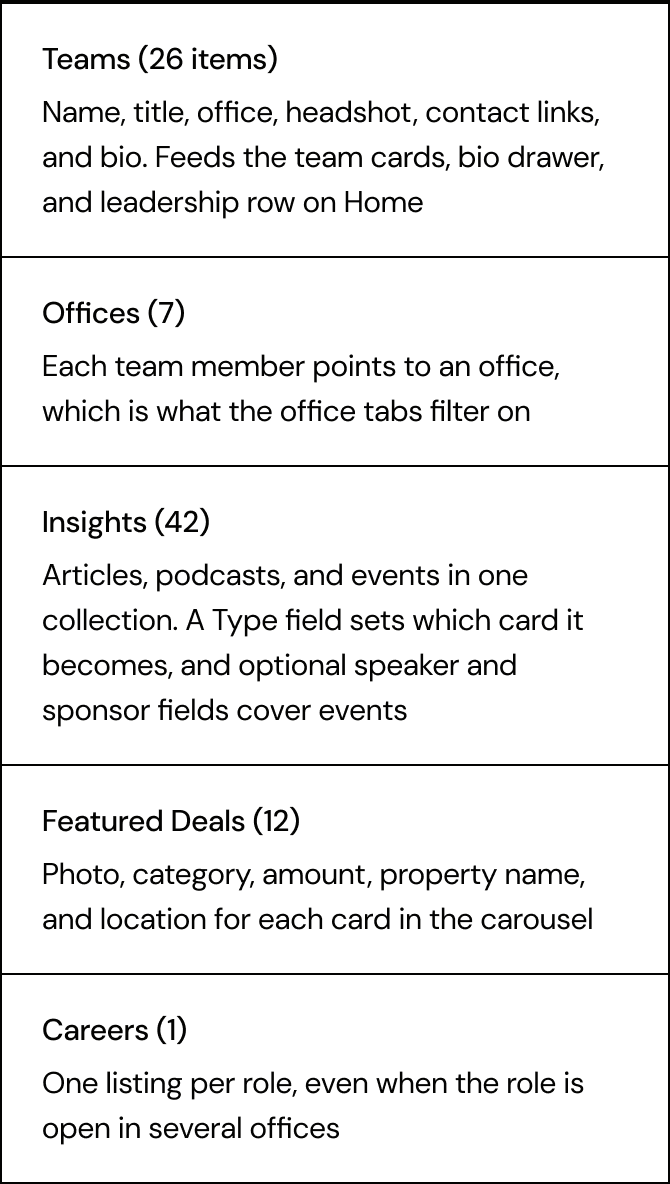
The content that changes most lives in five CMS collections, so the team can update it without touching the design.
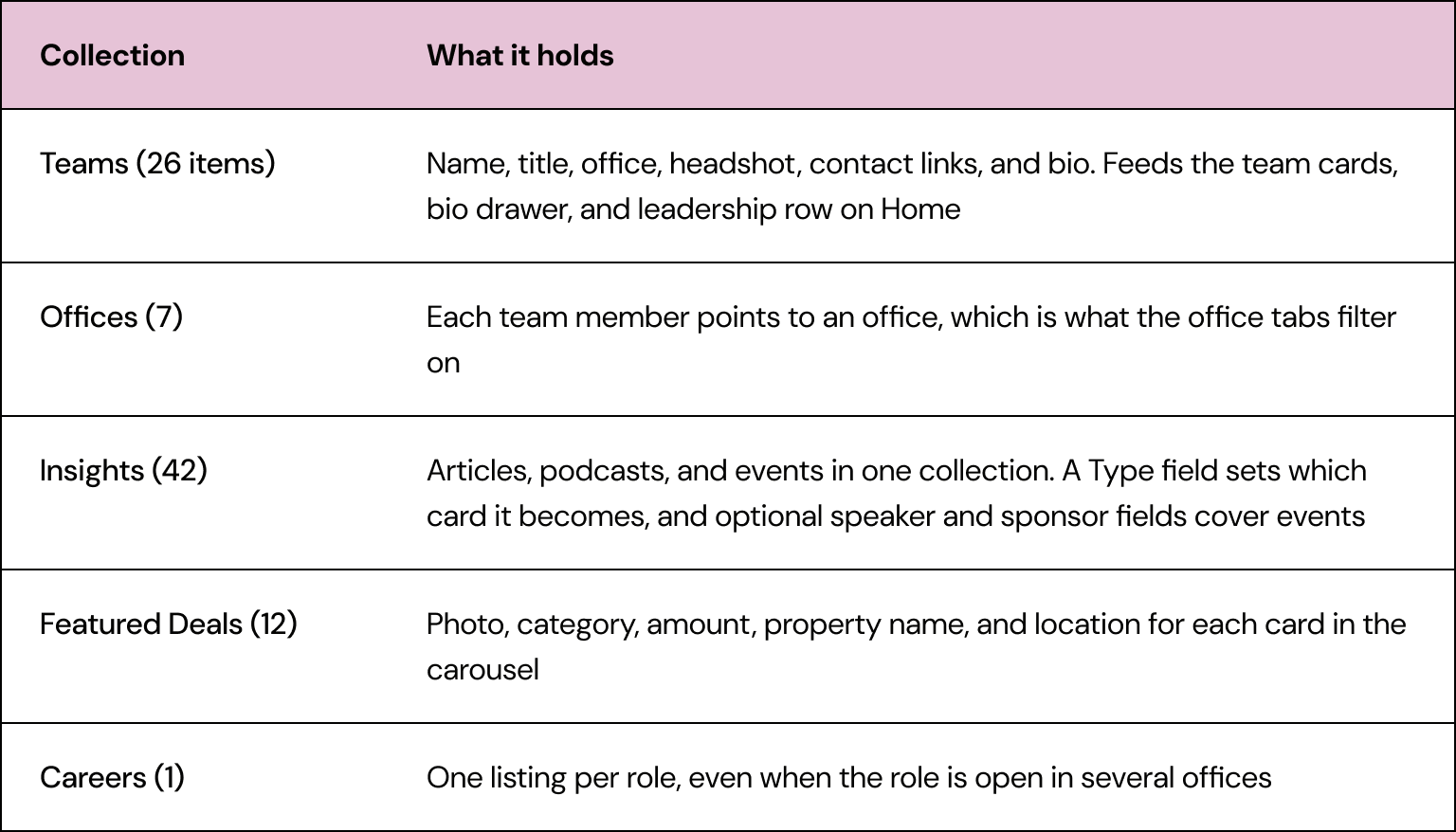
The fields are set up so the layout holds no matter who is editing. A profile picture is required on every team member, so the grid never shows a gap. Anyone without a headshot gets a black placeholder card with their initials, which keeps the grid looking intentional.
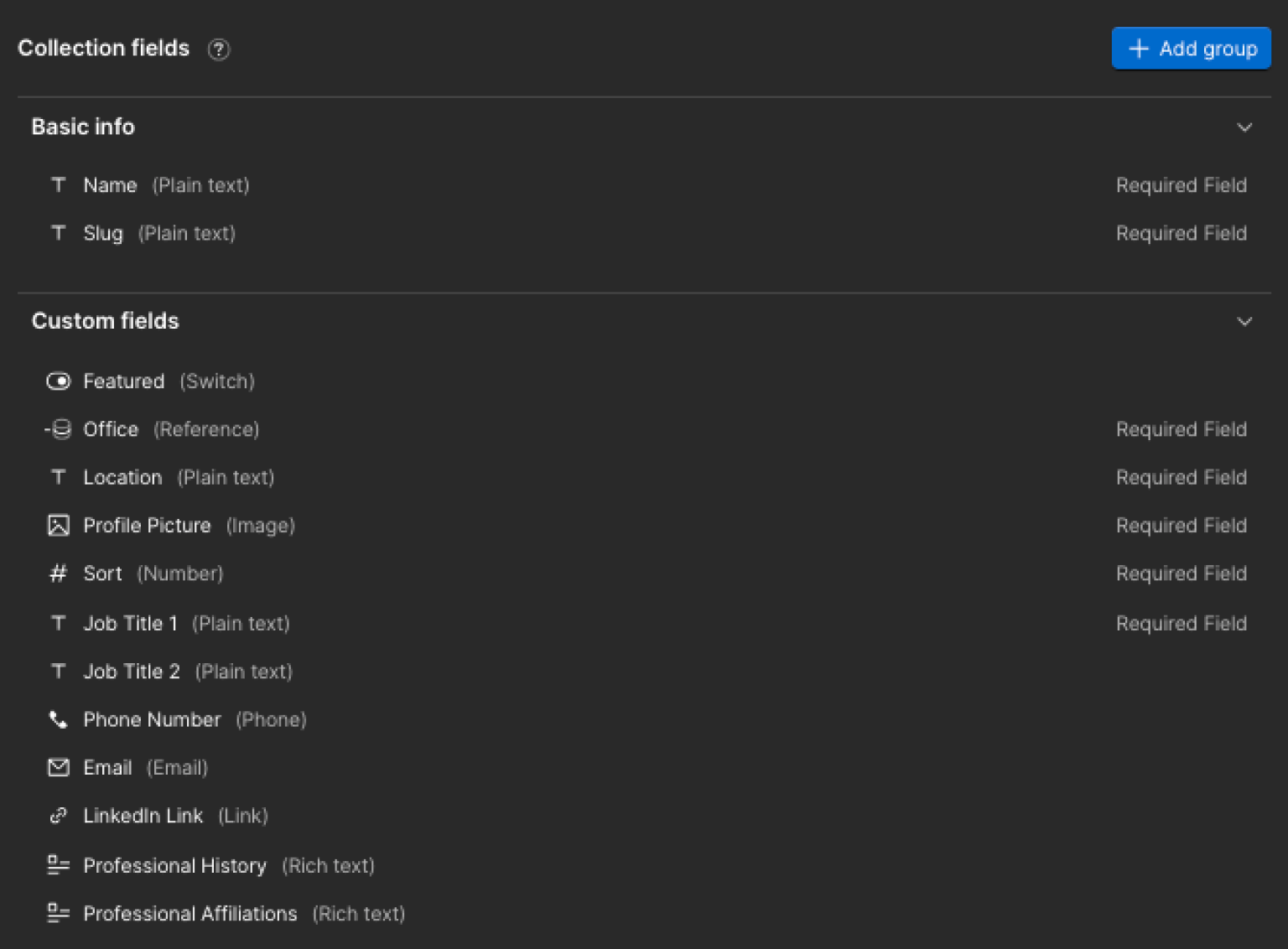

After launch, I taught the client’s executive assistant to manage the Team CMS on her own with a short call and a step-by-step guide. When she has a question, the guide gets a new section, so the answer is there for next time.
Key decisions
A bio drawer instead of profile pages
Bios slide out over the team grid, so visitors can read several in a row without losing their place, and there are no extra pages to maintain.
Text-forward insight cards
The press logos and podcast artwork didn’t look good together, so the cards lead with type. Every insight looks like it belongs to the same site, whatever the source.
One job listing per role
A role open in three offices is one listing with three locations, not three near-copies the team has to keep in sync.
Outcome
The site launched on danskergroup.com in July 2026. Since August, the client’s team has added and updated team members on their own through the CMS.